
Find your frequency.
A bigger radio dial for the clubhouse: browse the station catalogue, see what's playing, and keep five favourites a shortcut away.
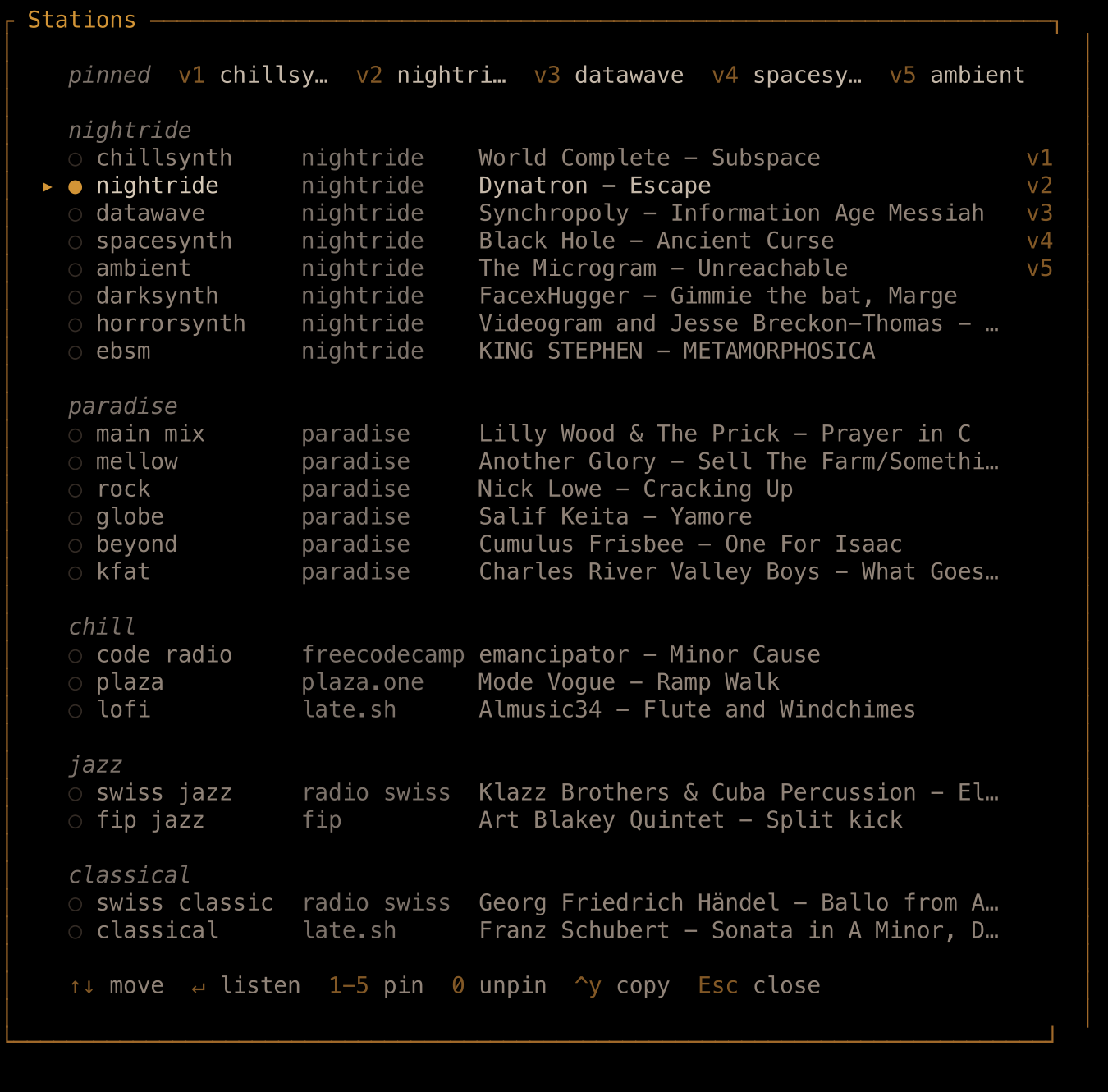
Same terminal. Different soundtrack.
late.sh's radio has grown into a station catalogue, with everything from synthwave to jazz and classical. Open Stations with v, then r to have a look around. The list shows each station's provider and, when available, the artist and track currently playing.
The familiar Nightride stations have company. Radio Paradise brings main mix, mellow, rock, globe, beyond, and KFAT. There are also Code Radio, Nightwave Plaza, the house lofi stream, and jazz and classical choices from FIP and Radio Swiss alongside late.sh's own classical station.
Use the arrow keys to browse and Enter to listen. Browsing alone doesn't change your station, so you can see what's on elsewhere without interrupting a good song.
Found a keeper? Press 1–5 in the browser to pin the highlighted station to that slot. Later, v, then the slot's number tunes straight to it. 0 removes the selected station from your favourites. Your five choices sit in the music sidebar, ready for the next change of mood.
The community's YouTube Music Booth still has its own place: v, then x switches between radio and YouTube. And if a radio track deserves saving, Ctrl+Y copies its details—we covered that in Good song? Copy that.
A little more choice for whatever you're doing tonight. Or putting off doing.
Sources: The station catalogue, Radio Paradise expansion, and the current catalogue and five-slot limit. The production browser and displayed controls were checked October 13; individual streams were not all auditioned.